Gemini
Why use Gemini?
Use Gemini to Refine your Work
Available through Georgetown’s Google for Education account, the entire suite of applications is free to all Georgetown faculty, staff, and students from any internet-enabled device with Georgetown credentials. If you have signed up for Gemini, when you click on the Gemini icon in whatever Google App you are using, you can ask Gemini to help you with whatever task you are trying to accomplish. For example, it can help you organize your emails, summarize and organize documents, beautify your slides, or format your sheets.
Starting March 2nd, 2026, for faculty and staff, and on March 9th, 2026, for students, Google AI tool Gemini will be available for use within the Google Apps. N.B. Users can opt-in to use the tool–it will not be turned on automatically. See your email for details on claiming your license.
What can I do with it?
Use Gemini across Google Workspace
If users have enabled Gemini in their Georgetown Google Workspace, most Google apps will have a Gemini panel that can be called up on the right side of the screen. There, you can ask questions about the document or file in which you are working.
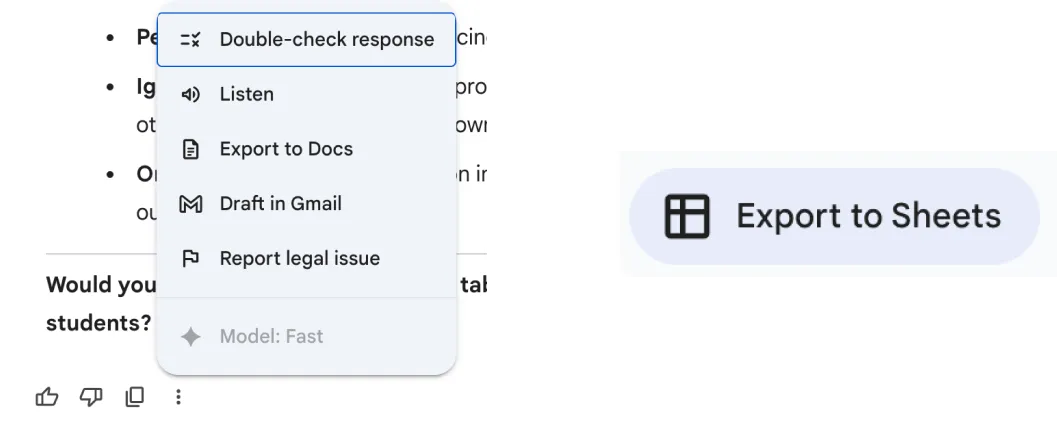
Because Gemini is integrated into Google Workspace you can easily import documents from your Google Drive and export your output into Google Docs or Sheets (instead of copying and pasting). Click the three dots and select Export to Docs.
Sample features
Gemini can now create a draft form automatically in Google Forms and can also enhance your Google Slides. Just click the button at the bottom of the slide view.

Gems
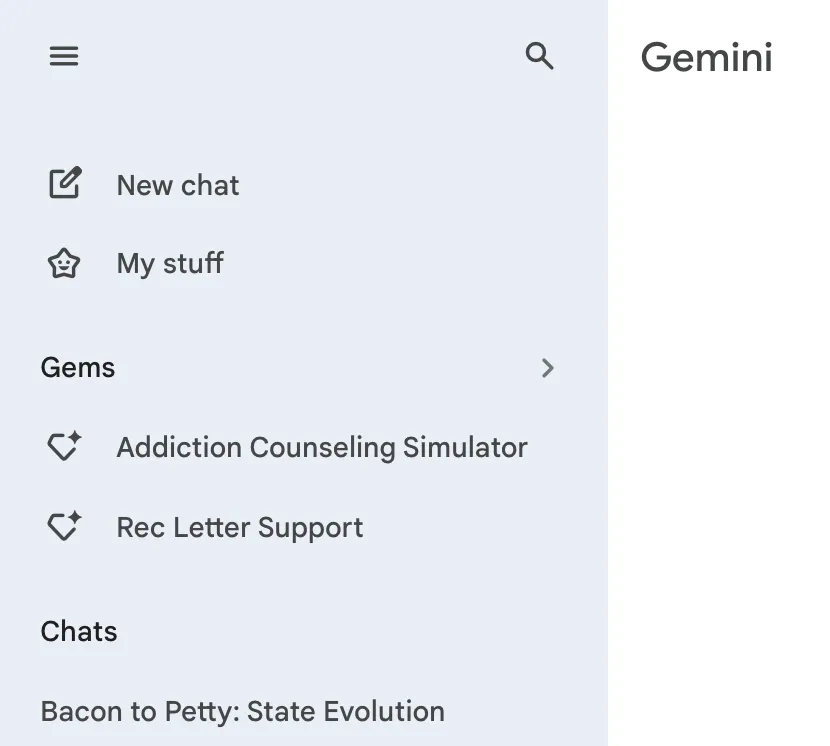
This feature of Gemini is a highlight—a great tool for repetitive, templated tasks, such as writing letters of recommendation. Users may provide samples of their own writing to create a specialized environment where much of the writing can follow user-provided examples.
Integrate Gemini into your research workflow
You may consider using Gemini to suggest structures, create tables, sentiment analysis, or other components of your research process. LLMs, including Gemini, excel at identifying patterns, and working with structured data in Gemini may make your analysis more efficient.
Deep Research
An option in each and every Gemini query is the Deep Research feature. Learn more from Google about how it works. In short, it operates at a deeper, more comprehensive level and will create entire reports, even literature reviews. Consider how you might adjust expectations on assignments because of these capabilities. Another useful research tool is Gemini Notebook, which you can learn about here.
Large Language Models in Teaching and Learning
Large language models can serve as interactive partners for course design, administrative preparation, thought partnership, and engaging students with complex concepts through iteration.
Integrate into your teaching preparation and practice
Faculty use LLMs as thought partners to generate ideas for engaging class sessions or as administrative assistants to prepare syllabi. LLMs can help you brainstorm class activities, refine discussion questions, draft case studies, and organize course materials. For example, you can upload past course documents to consolidate and review syllabi from previous semesters.
How faculty use LLMs in the classroom
UNXD-4500, Learning to Learn with AI
As part of a longer process in which Prof. Dewey Murdick teaches his students to iterate with AI to improve their academic inquiries, he assigns a way to stress-test their problem identification and research question development. Students engage in this activity during class using a script to simulate a panel of advisers:
The Prompt: “I want you to act as a Research Board of Advisors for my project on [Insert Topic]. Your goal is to help me determine if my research is viable, original, and executable. Each advisor should weigh in from their particular perspective on relevance, scope, and feasibility.
Please adopt three distinct personas and provide feedback from each perspective:
- The Skeptic [or particular person]: Focus on gaps in logic, potential overlap with existing literature, scope, and whether the research question is too broad or too narrow.
- The Methodological Specialist [or particular person]: Focus on the ‘how.’ Look for flaws in my data collection plan, potential biases, and realistic time constraints.
- The Industry Professional [or particular person]: Focus on the real-world impact. Ask why this research matters and who would actually benefit from the findings.
I will provide my initial research abstract/idea below. After you give your initial feedback, I want to iterate on the ideas with you.“
College, Philosophy
Professor Sherry Kao (Department of Philosophy) redesigned her original assignment where students role-played to practice difficult conversations in bioethics, to simulate this conversation with the help of an LLM.
She had students use the following prompt in an LLM of their choice:
“You’ll play an anti-vaxxer (or vaccine skeptic) who refuses to vaccinate their child with the MMR vaccine. Create a simulation in which I can practice. Give me dilemmas or problems. Do not play my role. Only play the role of the patient. Wait for me to respond before proceeding. Integrate relevant data points or statistics to strengthen the narrative and introduce quotes or testimonials to add authenticity to the story. > After 4 interactions < Tell me how I performed as a doctor and what I can do better next time.”
After the LLM-simulation experience, students reflected on best working strategies, and the strengths and weaknesses of the AI-simulated experience versus peer-to-peer role play.
Get started
Get help
- Sign in to Georgetown Google Apps
- Contact the GU Service Center
- Learn more about how CNDLS can support you, and contact us.